How to Learn Barcodes
This video shows how to learn barcodes using our software. If your products already contain barcodes, it’s a good idea to learn barcodes to associate it with the Finale product id so you do not need to generate new barcodes and print new ones.
The goal of learning a barcode would be to associate a UPC, manufacturer, or other unique code that is already on the products that you stock and associate that with the Finale product ID.
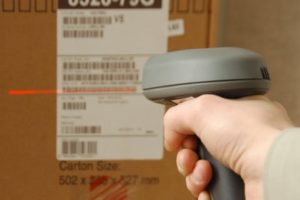
There are many different products in your warehouse and keeping track of them is difficult. Learning barcodes can make it easier. See the video below for instruction:

Video Transcription
Hi everyone, this is Jacie with Finale Inventory and today in this video I’ll show you how to use the learned barcode feature in the Finale Inventory barcode scanning app. This tool helps you quickly connect your physical barcodes with the products you manage in Finale. A common use case is when a manufacturer has already printed a barcode on the product or packaging. Instead of creating your own custom labels, Finale allows you to use the barcode already on the item, making scanning fast and seamless. Using learn barcode saves time and reduces mistakes. Instead of typing in product names or skew numbers, Finale recognizes the manufacturer’s barcode instantly and links it to the correct product in your catalog. Once a barcode is learned, it works everywhere in Finale, receiving, picking, packing, and stock adjustments. This means your team can scan products straight out of the box without any reabeling. Here’s how it works. Here we can see my product list in Finale. If we select the first product and scroll all the way down to the bottom, we can see the current product lookups aka product aliases associated with the product ID. Now, if we open the learn barcode function on the barcode scanning app, we can scan the product’s barcode using your scanner. The barcode number will appear on the screen. Finale will then prompt you to select the matching product from your catalog.
Once you select and confirm, you can sync the scanner. Finale will permanently associate that barcode with that product. After syncing the scanner and returning to the product in Finale, we can see the barcode value as a product lookup associated to this product. From now on, every time you scan that barcode, Finale will immediately pull up the right item. And that’s it. Learn barcode is a one-time setup that creates long-term efficiency for your team. The more barcodes you teach Finale, especially manufacturer assigned ones, the faster and more accurate your daily operations become.

Video Transcription
Hi everyone, this is Jacie with Finale and in this video I’ll walk you through the receive learn function in the Finale barcode scanner app. This feature allows you to receive new products into Finale while also teaching the system to recognize their barcodes at the same time. Receive learn is especially useful if you’re handling products for the very first time. Maybe your supplier or manufacturer has already put a barcode on the product packaging, but Finale doesn’t know it yet. Instead of receiving the product and then going back later to link the barcode, receive learn allows you to do both in one step, saving time and avoiding duplicate work. Here’s how to use receive learn. In Finale, we have a purchase order with two new to us items that our manufacturer has already barcoded. Let’s learn the barcode as we receive the purchase order on the barcode scanner. In the barcode scanner app, go to 14 settings and verify that setting number three is set to yes. Back in the main menu, select receive and scan your purchase order ID. Here, we’re going to select the sublo we are receiving our products into. And now we need to scan or type in the product ID. If you don’t have a product ID that you can readily scan, you can print the print purchase order manifest with barcode directly from your finale screen. It provides the barcodes for you. Otherwise, you can type in the product ID. Now, scan the product’s barcode
and enter the quantity that you are receiving. Once you select and confirm, Finale learns that barcode and associates it with that product. You now have the option to learn another barcode against this item, which is helpful if your manufacturer has different labels for the same product. If you are finished learning barcodes for that product, select enter. Continue receiving as normal.
And when you are done receiving your PO, click menu, exit to main menu, and sync your scanner. Syncing the barcode scanner allows the settings to apply to your Finale account. Now, if we click on the product and scroll all the way to the bottom, we can see that barcode is now associated with that product ID. Moving forward, if this barcode value is scanned, Finale will understand that it is tied to this product ID. And that’s it. With receive learn, you can set up barcodes on the fly as new products arrive, so your team can start scanning them right away in receiving, picking, and packing. It’s a fast and efficient way to keep your catalog and your inventory synced.