

In business management, one important tool that can streamline operations and enhance efficiency is the use of purchase order templates. These templates serve as a standardized format for creating purchase orders, which are documents used to request and authorize the purchase of goods or services from vendors. By utilizing these templates, businesses can ensure accuracy, consistency, and professionalism in their purchase order process.
Understanding the Importance of Purchase Order Templates
When it comes to managing business operations, purchase order templates play a crucial role. They provide a structured framework for businesses to communicate their needs to vendors, ensuring clear and comprehensive documentation of purchase details. By having a standardized format, purchase order templates help eliminate errors, miscommunications, and potential disputes with vendors.
The Role of Purchase Order Templates in Business Management
Purchase order templates are at the heart of efficient business management. They serve as a way to streamline the purchasing process, reducing time spent on manual data entry and reducing the chances of errors. Additionally, these templates help maintain accurate records of purchases, making it easier to track expenses, manage inventory, and reconcile invoices.
Key Features of an Effective Purchase Order Template
An effective purchase order template should clearly outline the buyer’s and vendor’s information, including names, addresses, and contact details. It should also include sections for listing the items or services being purchased, with descriptions, quantities, prices, and applicable discounts. Additionally, there should be space for terms and conditions, payment information, and any additional notes or instructions.
A well-designed template should include a section for tracking the delivery status of the ordered items, helping businesses plan their operations and address any shipping delays or issues promptly. An effective template should capture approval signatures to ensure authorized purchases, maintaining a transparent and auditable purchasing process crucial for financial compliance and internal control.
Exploring the 5 Free Purchase Order Templates
To help businesses get started with purchase order management, several free templates are available. Let’s take a look at five different options:
Template 1: Basic Purchase Order Template
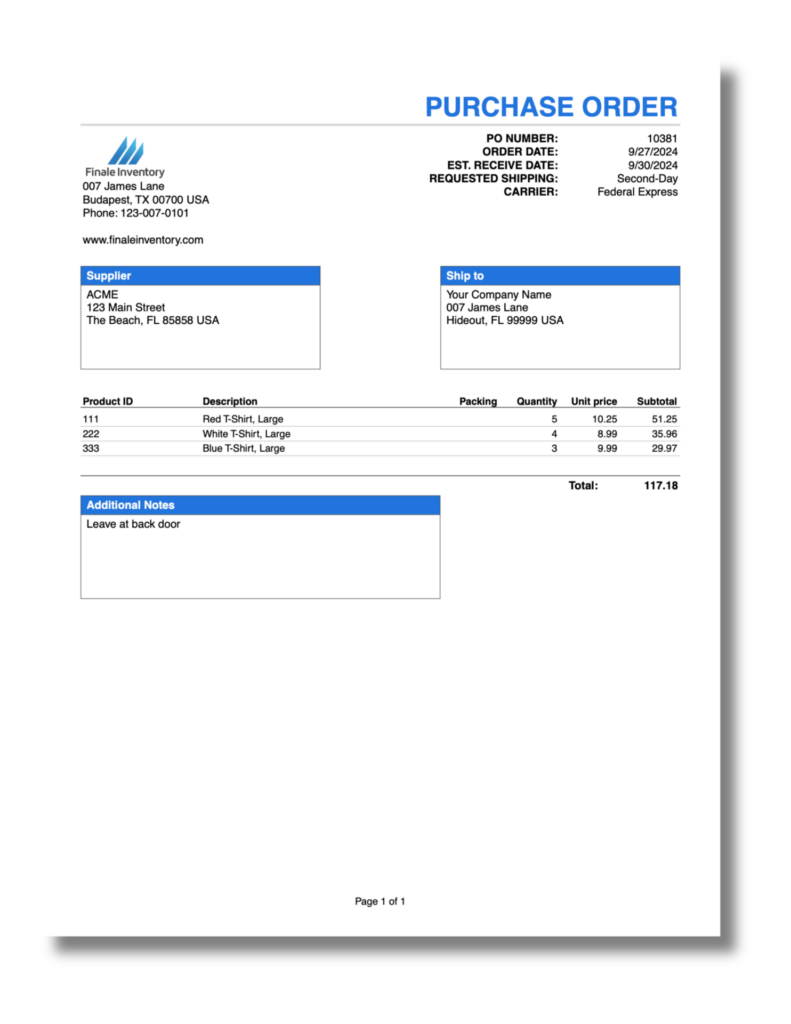
This template provides a simple, no-frills format for creating purchase orders. It includes the basic sections for buyer and vendor information, as well as an itemized list of purchases.
When using the Basic Purchase Order Template, businesses can quickly and easily generate purchase orders without any unnecessary complications. This straightforward approach allows for a streamlined process, ensuring that the essential information is clearly communicated to the vendor.
Template 2: Detailed Purchase Order Template
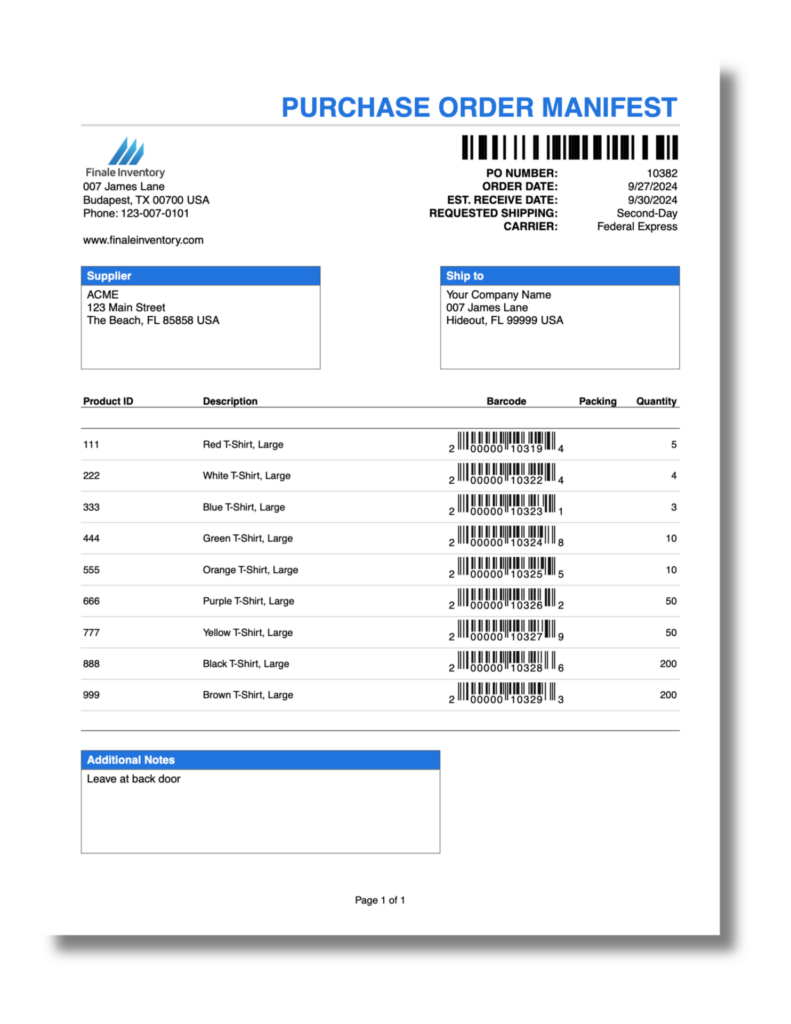
For businesses that require more detailed purchase orders, this template offers additional fields for entering specific details about each item or service being purchased. It allows for greater accuracy and specificity in communicating purchase requirements to vendors.
The Detailed Purchase Order Template is particularly useful when dealing with complex orders that involve multiple items or services. By providing a comprehensive breakdown of each purchase, businesses can ensure that vendors have all the necessary information to fulfill the order accurately and efficiently.

Notice in this example the addition of the document barcode for reference, freight, and insurance amounts.
Template 3: Vendor-Specific Purchase Order Template
Some businesses work with specific vendors on a regular basis. This template is tailored for such situations, allowing businesses to customize the template to match the specific requirements and preferences of their vendors.
By using the Vendor-Specific Purchase Order Template, businesses can establish a consistent format that aligns with their vendors’ expectations. This not only facilitates smoother communication but also strengthens the relationship between the buyer and vendor, fostering a sense of trust and reliability.
Template 4: Inventory Management Purchase Order Template
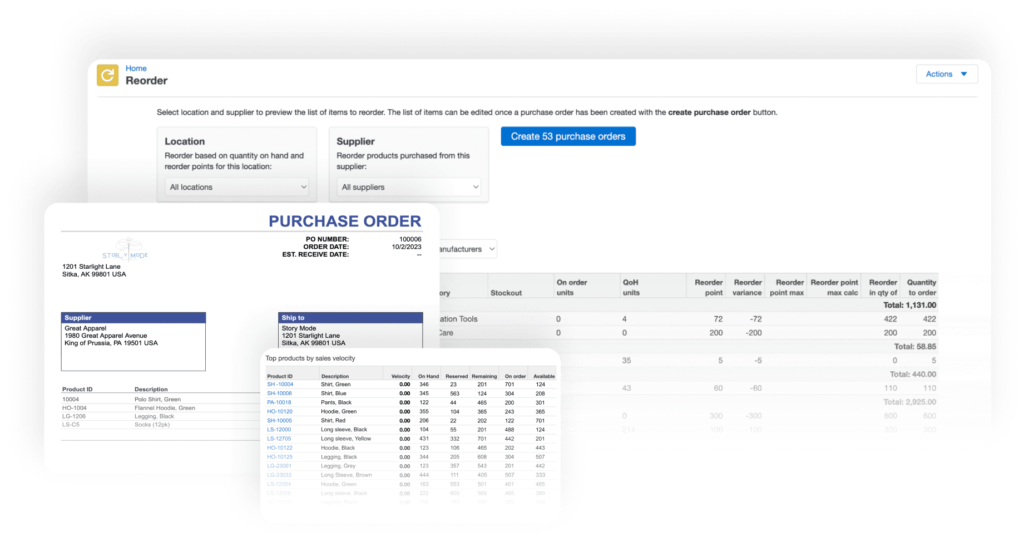
For businesses that deal with inventory, this template includes features that allow for better inventory management. It includes fields for tracking stock levels, reorder points, and expected delivery dates.
The Inventory Management Purchase Order Template goes beyond the standard purchase order format by incorporating essential inventory management elements. By integrating these features, businesses can effectively monitor their stock levels, ensuring that they never run out of crucial items and can meet customer demands on time.
Inventory software can provide a premade template for you to generate when stocks are low or as part of your monthly routine. See below the video on how to create a purchase order in Finale Inventory.
Template 5: Ecommerce Purchase Order Template
With the rise of ecommerce, businesses that sell online require purchase order templates specifically designed for this purpose. This template includes fields for online marketplace details, such as order numbers and shipping information.
Purchase Order Number
Date of Order
Supplier Information [Name, Contact Person, Email, Phone Number]
Customer Information [Name, Email, Customer Shipping Address, Customer Billing Address]
Order Details [Product ID/SKU, Product Name, Quantity, Unit Price, Total Price per Item]
Shipping Information [Shipping Method, Cost, Estimated Delivery Date, Tracking Number]
Payment Information [Payment Method, Terms, Total Order Cost, Discounts/Promotions Applied]
Order Status [Order Confirmation Status, Payment Status, Shipping Status]
Special Instructions
Comments/Notes
The Ecommerce Purchase Order Template caters to the unique needs of online businesses by incorporating fields that are essential for managing orders in the digital realm. By including specific details related to online marketplaces, businesses can seamlessly integrate their purchase order process with their ecommerce platforms, ensuring smooth order fulfillment and customer satisfaction.
How to Choose the Right Purchase Order Template for Your Business
With several options available, it’s essential to choose the right purchase order template for your business. Here are some factors to consider:
Assessing Your Business Needs
Consider the specific requirements of your business. Are you looking for a basic template or one with more advanced features? Do you need a template that can be customized for vendor-specific needs? Evaluating your unique needs will help you make the right choice.
Evaluating Template Features
Take a close look at the features offered by each template. Consider whether they align with your business’s requirements. Look for templates that provide the necessary fields and sections needed for your purchasing process.
When assessing your business needs, think about the scalability of the template. As your business grows, will the template be able to accommodate the increased volume of purchase orders? It’s crucial to select a template that can grow with your business to avoid the hassle of switching templates in the future.
Considering Template Customization
Another important factor to consider is the level of customization the template allows. A customizable template enables you to tailor the purchase order format to suit your branding and specific requirements. Look for templates that offer flexibility in terms of design and layout.
Does Excel have a purchase order template?
If you do not use automated purchase order software, you can use a manual Excel or Google sheet. Below are some free templates to copy. If you use Excel, just copy the Google Sheet into Excel. Editable purchase order templates can be shared with your team so anyone can update and send out the order to the supplier or track old orders. You can get many purchase order templates for Excel from Microsoft’s library.
Google Sheets Template Purchase Order with Price List
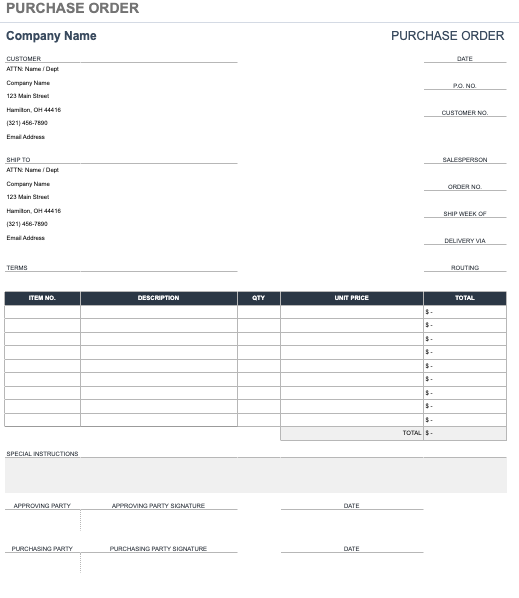
Google Sheets Template Purchase Order with Footer
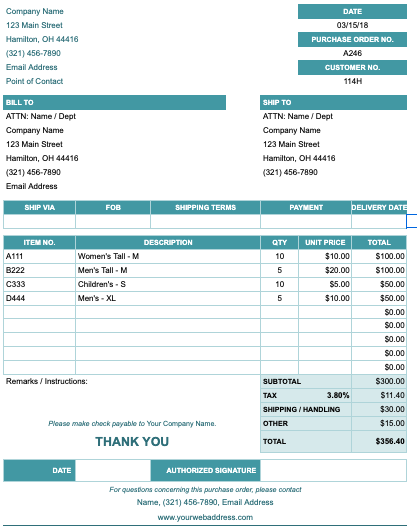
Implementing Purchase Order Templates in Your Business Operations
Once you have chosen the right purchase order template, it’s time to implement it effectively into your business operations. Here are some steps to follow:
Steps to Integrate Purchase Order Templates
To streamline your e-commerce operations, introduce purchase order templates with proper training for your team. Ensure everyone understands their purpose, benefits, and how to fill them out accurately.
Identify key stakeholders like procurement managers, finance personnel, and department heads, and engage them to understand their requirements and expectations. This collaboration ensures smoother adoption and integration.
Customize the templates to fit your business needs. Include fields for product SKUs, quantities, unit prices, delivery dates, and other relevant details. Tailoring the templates helps capture essential information, making your purchasing process more efficient.
An e-commerce company’s purchase order might include several fields that a traditional store’s purchase order would not typically include. These fields are tailored to the specific needs and operational nuances of e-commerce. Here are some examples:
- Product SKU/ASIN
- Customer Order Number
- Website Listing URL
- Marketplace Fees
- Digital Products
- Fulfillment Center Details
- Dropshipping Information
- Return and Refund Policies
- Sales Channel
Tips for Maximizing the Use of Purchase Order Templates
To get the most out of purchase order templates, consider the following tips:
- Regularly update and maintain your templates to keep them relevant and up-to-date.
- Communicate clearly with vendors to ensure mutual understanding of purchase requirements.
- Regularly review and analyze purchase order data to identify areas for improvement and cost-saving opportunities.
- Integrate your purchase order system with your inventory and accounting systems for better efficiency and accuracy.
While implementing purchase order templates is a step in the right direction, it’s important to continuously evaluate their effectiveness. Regularly review the templates and gather feedback from your team to identify any pain points or areas for improvement. This feedback loop will help you refine and enhance the templates over time, ensuring they remain a valuable tool for your business operations.
Consider leveraging technology to streamline the purchase order process even further. Explore options for automating the creation and submission of purchase orders, allowing for faster approvals and reducing the risk of errors. By embracing technology, you can unlock greater efficiency and accuracy in your purchasing operations.
By following these tips and implementing purchase order templates effectively, businesses can experience smoother purchasing processes, reduced errors, and increased efficiency in their operations.
In conclusion, free purchase order templates offer businesses a valuable tool for efficient business management. Understanding their importance, exploring the available options, and selecting the right template can have a significant impact on streamlining operations and enhancing productivity. By implementing these templates effectively and maximizing their use, businesses can achieve cost savings, improved accuracy, and better vendor management. Take advantage of these free resources and unleash the full potential of your business’s purchasing process.
Transform Your Inventory with Finale
Request a Free $2,500 Consultation and let us tackle solving your biggest inventory management challenges with Finale Inventory and experience the difference Finale Inventory can make for your business.
