
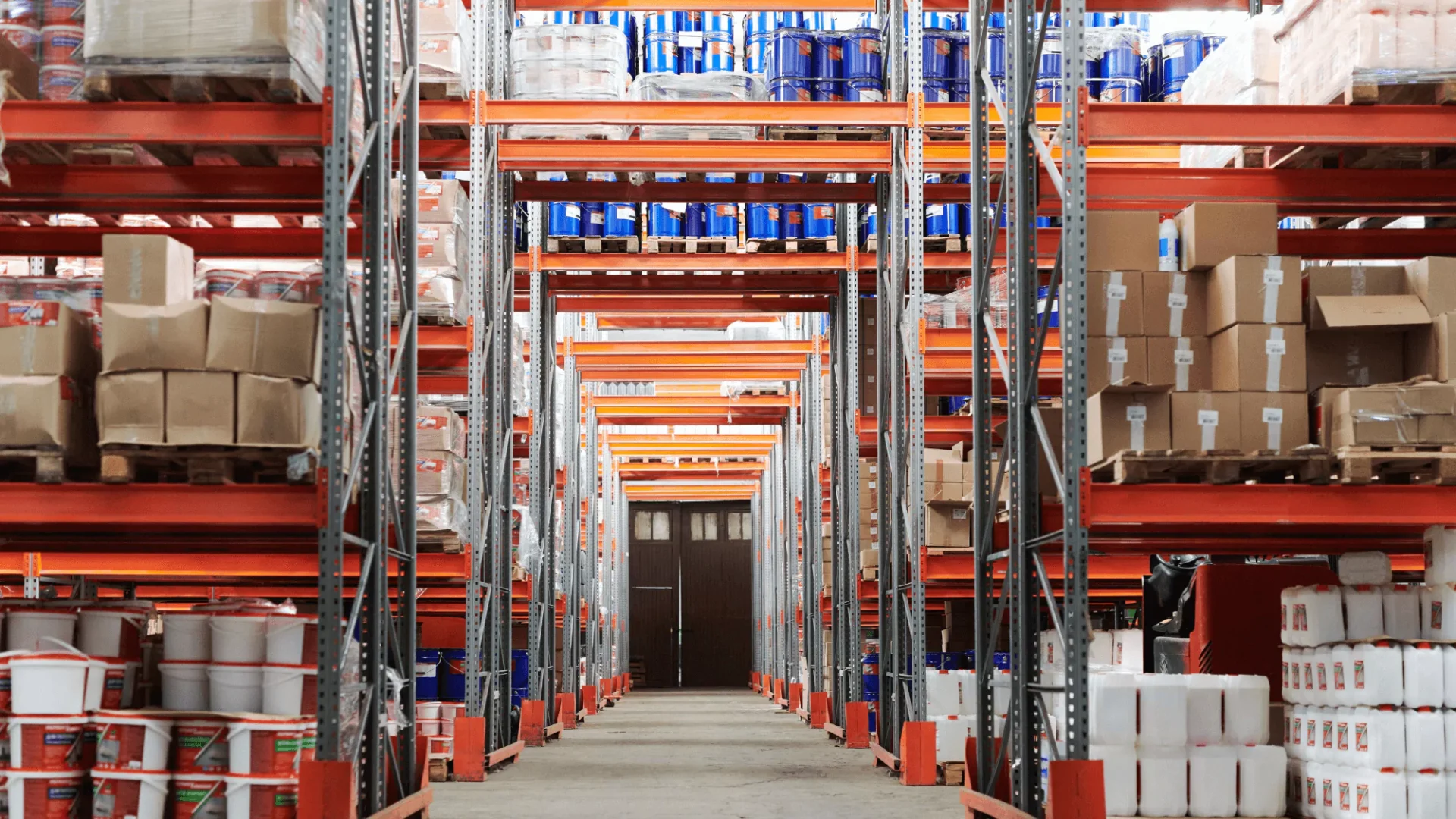
Picture this: a bustling warehouse, palates coming in, orders printing out, shelves (and let’s face it, floor space) overflowing with boxes. You’re looking for a specific item but can’t find it in the chaos. The result? Customers receive their orders late–if they receive the right shipment at all.
We’ve all been there, but it shouldn’t be that way–and doesn’t have to be that way. There are ways to manage the team, the warehouse, the inventory data, and the workflow to get ahead of errors. How so? A warehouse barcode system can help you keep your warehouse in order, ensuring timely and accurate order fulfillment.
Read more: Minimize Errors with a Robust Warehouse Barcode System
Why Barcode Systems Matter
Inventory errors aren’t just hiccups in your business operations. As a company, they’re expensive burdens on your warehouse and customer service, and as an employee, they hinder you from doing your job effectively. Let’s break down why barcode systems are more than just a “nice-to-have” tool, as opposed to a necessity.
Mispicks. Imagine sending the wrong order across the country. That’s not just wasted shipping cost; it’s customer disappointment and potential returns, which can cost 5-10x the original product value in processing fees and lost sales. Studies show mispicks happen in 1-3% of orders without barcode verification, leading to thousands of dollars in losses for even small warehouses.
Lost inventory. Can’t find that pallet of in-demand water bottles? Lost inventory eats into your profits, with estimates suggesting up to 10-15% of stock goes missing in some warehouses due to manual tracking errors. That’s not just lost product; it’s lost sales opportunities and potential production stoppages. Implementing barcodes instantly provides real-time tracking, reducing losses and increasing inventory visibility.
Shipment delays. Late deliveries erode customer trust and cost you money. Traditional paper-based picking can lead to delays of 10-20 minutes per order, especially with large or complex orders. Barcodes streamline the picking process, reducing errors and increasing speed, with studies showing warehouses can achieve up to 50% faster order fulfillment with barcode scanning.
While initial costs exist, barcode systems deliver a clear return on investment (ROI) through increased accuracy, speed, and inventory control. Think of it as an investment in smoother operations, happier customers, and, ultimately, a more profitable bottom line.
Developing Your Barcode System
1. Hardware Selection
The first step to developing a barcode system is choosing the right hardware. This can make or break the effectiveness of your barcode system. You can choose from a few different types of hardware and providers based on your needs.
Stationary scanners are ideal for fixed points, like conveyor belts or packing stations. If you’re looking for guaranteed efficiency in scanning large quantities of items in a stable environment, this is your best bet.
Alternatively, you can opt for handheld scanners. These are best for providing flexibility and mobility for workers on the move. The handhelds are ideal for dynamic environments where the items you’re looking for are stored in different locations across your warehouse.
To choose the scanner that best fits your needs, it’s important to understand your warehouse layout, picking methods, and operational requirements.
2. Software Integrations
The foundation of any barcode system lies in its integration with an inventory management system (IMS). A fully integrating barcoding solution should enable you to:
- Capture data in real-time during scanning processes
- Instantly update your centralized inventory database
- Accurately locate products within your warehouse
- Obtain a comprehensive analysis of scanned data for decision-making
- Gain visibility into stock levels, order statuses, and warehouse performance
- Improve accountability with tracked employee actions
- Create and print custom barcode labels
Generally, the best warehouse barcode systems out there serve as an all-in-one solution, eliminating the need for multiple software. The right system should help you increase productivity from order intake all the way to shipping and customer reception.
3. Barcode Design
Once you’ve got down the basics of your barcode system, you should move on to creating well-designed and durable labels. After all, the labels won’t be of much use to you if they fall off of boxes or become unreadable.
Be sure to use clear, straightforward symbols with legible font size and style to avoid misreads. Select durable label materials resistant to wear, tear, and environmental factors – this is not the time to skimp on quality.
4. Placement of Barcode Labels
While it can be tempting to just slap labels anywhere on a box, the placement of barcode labels is not something to be overlooked. Affix labels in areas easily accessible for scanning and ensure they’re visible and unobstructed during handling. If a box says “this size up,” it’s best not to put the barcode label on the underside of the item.
Additionally, it’s also helpful to place labels at eye level for easy scanning by warehouse staff and clearly mark shelves to expedite the picking process. You’ll want to position labels on pick locations for quick and accurate identification. Finally, consider your colleagues: If it takes you more than a minute to find the label, it’ll take that long for others in your warehouse as well.
Warehouse Barcode System Best Practices
Even after you’ve set up and implemented your barcode system, efficiency relies on consistent practices throughout multiple stages.
- Receiving: Immediately scan products upon arrival for real-time inventory updates. This streamlines the entire supply chain, providing instant visibility into stock levels and minimizing delays.
- Put-away: Barcode scanning ensures precise product placement, enhancing location traceability. This step is fundamental for maintaining an organized warehouse and speeding up retrieval during order fulfillment.
- Picking: Implement batch-picking strategies with barcode verification for each item. This accelerates the picking process and reduces errors, ensuring the right products reach their destinations.
- Packing and shipping: Use a “verify to ship” process, where each item is scanned before packing, eliminating picking errors. This final verification step is crucial for accurate order fulfillment and customer satisfaction.
- Inventory management: Don’t forget about your inventory management system (IMS) for real-time stock visibility, and conduct cycle counts for ongoing accuracy. This minimizes discrepancies and provides a solid foundation for inventory control.
Remember, consistency is key to the success of your warehouse barcode system. Regular training sessions ensure your team is working efficiently in your warehouse and, to make things better, barcoding makes training easier. Because it defines a standard and coordinated process, training and maintaining team workflows is possible with a barcoding system. After all, we know the value of well-trained personnel and know they can make or break a business’ optimal performance and accuracy.
Ready to kickstart your barcoding system? Finale Inventory offers a turn-key barcoding and labeling solution with on-the-spot quality checks, minimizing errors and maximizing efficiency in your warehouse – all at a fraction of the cost of a custom system.
Schedule a demo to learn more about barcoding!
Start with a unified view of inventory. The core of maturity starts with being able to accurately represent what you do have and make sure that you know where it’s located to get it to customers quickly. Without a unified view across your warehouses, 3PLs, and vendors, you cannot make the best decisions because you don’t have the best information at hand.
With Inventory Visibility, Businesses Can Make Smarter Allocation Decisions
Once I know what inventory I have, how should I decide where to make it available?
Better Inventory Data Improves Planning, Purchasing, and Growth Bets
Better visibility turns inventory data into a planning tool. With insight into sales velocity, inventory levels, vendors, and channel performance, businesses can make more informed replenishment decisions, avoid overbuying, and test new product lines or vendor-supplied inventory without taking on unnecessary risk.
Once inventory and supplier data are reliable, businesses can automate fulfillment decisions. Orders can be routed based on cost, speed, margin, location, warehouse priority, vendor fallback, split-shipment rules, or customer expectations. This helps hybrid fulfillment scale because every order does not need a manual review.
There is no single answer, which is why order routing needs to account for the context of each order. Intelligent order routing is not just sending an order to someone who has stock; it is taking each and every order and treating it like its own unique use case. Depending on the order, the business may prioritize speed, margin, an internal warehouse, vendor fallback, or preventing split shipments.
For hybrid fulfillment to work, supplier inventory needs to become part of the operating model. Supplier sync does not always require advanced technology; it can happen through automated files, FTP, email, APIs, EDI, or ecommerce storefront integrations. The key is replacing manual updates with automated, reliable supplier data.
Yes, but the goal is not necessarily to force every supplier into a complex integration. Real-time supplier sync can be defined as any way to get an automated update from a supplier, such as Google Sheets, email, FTP, API, EDI, or ecommerce storefront connections. The key is that accurate supplier stock is foundational. If you don’t have an accurate view of what is in stock with your suppliers, you cannot tell your sales channel accurately what’s available.
Automation does not remove people from the process. Mature operations let technology handle the routine majority while humans focus on exceptions, such as high-value orders, fraud risk, compliance requirements, restricted products, export rules, or unusual fulfillment scenarios.
If my business has special cases, can automation still work?
Yes. The point is not to automate every possible decision; it is to automate the routine work and surface the exceptions. Businesses should not have to look at every single order. Instead, technology can highlight high-value orders, risky locations, or compliance requirements. The goal is to take care of the 80% of workflows that are obvious while still allowing human review when specific exceptions arise.
The Right Inventory Technology Should Fit the Business, Not Overwhelm It
Software decisions should be based on business fit, not popularity, feature volume, or broad “all-in-one” promises. Growing ecommerce businesses should identify their highest-impact bottleneck, prioritize what matters now, and choose technology that is right-sized but flexible enough to support future phases of growth.
Start with your priorities, not the biggest feature list. Avoid an all-in-one system that claims to “do everything under the sun” and look for a “best of breed approach” with systems that can scale as you add channels or vendors. The practical advice is to stack rank what matters now, make sure the system can support future phases, and choose technology that fits your business rather than overwhelming it.
For many growing ecommerce businesses, Finale and Flxpoint work together as a practical answer to these challenges. Finale helps centralize and manage internal inventory, purchasing, warehouse operations, and stock visibility, while Flxpoint helps connect vendor inventory, automate supplier sync, and route orders across hybrid fulfillment networks. Together, they give businesses a best-of-breed way to improve inventory accuracy, reduce spreadsheet work, and scale fulfillment without forcing every process into a one-size-fits-all system.
What Is Ecommerce Fulfillment Operations?
Ecommerce fulfillment operations are the processes that move an online order from purchase to delivery. This includes managing inventory, syncing product availability across channels, routing orders to the right warehouse, 3PL, supplier, or vendor, and making sure the customer receives the right product on time. As discussed in the webinar, fulfillment is no longer limited to “what’s in my warehouse these days”; growing businesses may rely on internal warehouses, 3PLs, marketplace fulfillment services, and supplier inventory at the same time.
What Are Ecommerce Fulfillment Operation Examples?
Examples of ecommerce fulfillment operations include updating inventory across Shopify, Amazon, Walmart, and other sales channels; allocating inventory to specific marketplaces; sending orders to an internal warehouse, 3PL, or vendor; syncing supplier inventory through files, APIs, EDI, email, or FTP; replenishing warehouse stock based on sales velocity; and flagging exceptions such as high-value orders, compliance requirements, or restricted products. In the webinar, the speakers also discussed hybrid fulfillment examples where a business may fulfill some products from its own warehouse and use vendors as a fallback or extension of available inventory.
How Can I Track My Inventory at an Ecommerce Fulfillment Center?
The best way to track inventory at an ecommerce fulfillment center is to create a unified inventory view that shows what is available, where it is located, and how that inventory connects to each sales channel. That means tracking inventory across internal warehouses, fulfillment centers, 3PLs, marketplace fulfillment programs, and supplier locations instead of relying on disconnected spreadsheets. The webinar emphasized that businesses need to “accurately represent” what they have and know where it is located so they can get products to customers quickly.
How Can I Connect My Inventory to My Supplier?
You can connect supplier inventory through several methods, depending on what the supplier supports. The webinar discussed low-tech and advanced options, including automated Excel or CSV files, Google Sheets, email updates, FTP servers, APIs, EDI, and direct connections to ecommerce storefronts such as Shopify, BigCommerce, or Magento. The key is to ask suppliers how they share inventory today, then use a system that can automate that data flow instead of manually copying supplier inventory into spreadsheets.
What Is Ecommerce Order Routing?
Ecommerce order routing is the process of deciding where an order is fulfilled from after a customer buys. In a simple operation, every order may go to one warehouse. In a more complex or hybrid fulfillment model, the best fulfillment source may depend on inventory availability, shipping speed, cost, margin, customer location, warehouse priority, vendor fallback rules, or whether the order should be split. The webinar described intelligent order routing as treating each order like its own use case, so businesses can automate the best fulfillment decision without manually reviewing every order.