

Many small businesses use Excel as their initial inventory management tool as it is easy to use and readily available on most computers. For a short while, using Excel for inventory management works just fine for many small companies. As their inventory management needs become more complex, business owners learn the hard way that Excel is not a viable long-term solution. It’s not a matter of finding the best way to keep track of inventory using Excel. At a certain point, no method will beat a program designed for inventory control.
The good news for business owners is the complexity is a result of a growing prosperous business. In most cases, an upgrade is probably what you need to continue your growth trajectory.
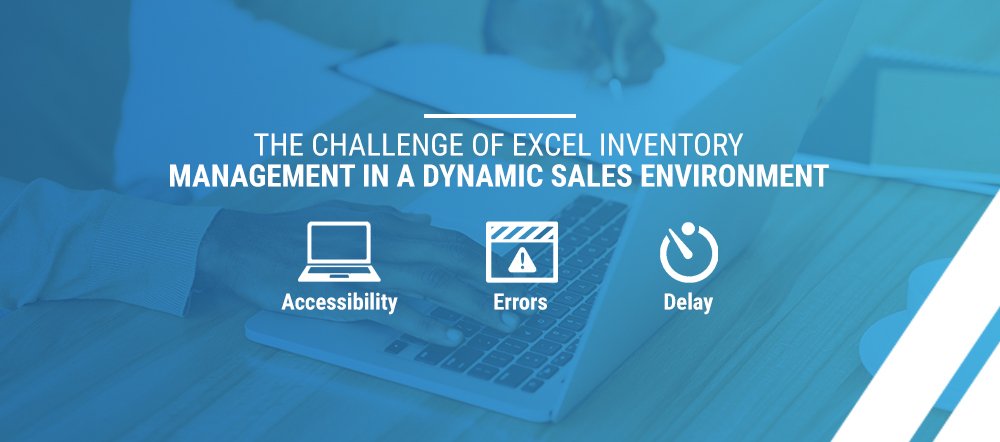
The Challenge of Excel Inventory Management in a Dynamic Sales Environment
The point of taking inventory is to answer the question, “How much of X do I have right now?” The operative word is, of course, “now.” The number in your spreadsheet doesn’t account for sales and deliveries that took place since you last updated. Daily stock takes become outdated, and the time strain of counting inventory every day is inefficient. Even Excel inventory management with barcode scanning won’t account for shipments en-route or sales that haven’t been picked and packed.
As inventory becomes more complex, business owners soon learn managing inventory through Excel spreadsheets is costly and ineffective. Some of the major limitations include:
- Accessibility: Only one user can have access to an Excel spreadsheet at a time. As they grow, businesses generally have more than one individual responsible for keeping an accurate inventory count. When you start holding inventory at more than one location, more team members fall into the mix. Excel limits accessibility for multiple users. Additionally, Excel does not have version control and cannot track who is making changes to the worksheet. If there are inaccurate counts, it is challenging to know which employee to follow-up with. When several people edit at once, a spreadsheet might get saved under multiple versions with conflicting information.
- Errors: Inefficient physical stock counting efforts are often error-prone. Business owners doing inventory management via Excel require employees to take a physical stock by counting the items and updating the master spreadsheet. Usually, staff record stock count with pen and paper in the warehouse and then input the data back in the office. This process is inefficient and often results in inaccurate data because repetitive data entry leads to mistakes. This issue is significantly mitigated in cloud-based inventory management systems. Data can then be directly inputted from the warehouse via a barcode scanner or mobile device.
- Delay: Lack of real-time inventory data is a significant issue. Most companies perform a physical count of their physical inventory at fixed time intervals – once a week, once a month, or another set period. Between stock takes, new inventory comes in, gets shipped out or moves from location to location. Often, the Excel sheet’s figures are in not sync with the actual counts in the warehouse.

Why Inventory and Order Management Systems Are Imperative to a Growing Brand
The truth is, Excel wasn’t built for inventory management. Yes, it can be useful and affordable for small operations. As small businesses grow, the time it takes to track stock by spreadsheets and the number of errors that can occur both increase. You can accrue hidden costs you may not even notice. Inventory and order management software can save you and your team time, increase collaboration and give you a live, accurate stock count.
As your business grows, more stock, categories, locations and employees will follow. Each complexity adds a new point of friction within your manual processes and more room for error. A system designed for merchandising and inventory management becomes crucial as your business expands.
Inventory and order management software offers the ability to count your inventory in real-time. It also provides more functionality than a spreadsheet, beyond the realm of stock counts. Here are just some of the features of a comprehensive order management solution:
- Automate reorder notifications based on sales velocity, current stock count and supplier inventory.
- Set different pricing rules for wholesale orders, markups, discounts and combinations of items.
- Compare costs per unit with retail pricing to understand gross margins and profitability.
- Prepare shipments for fulfillment using barcode-enabled picking and packing.
- Manage and process returns.
- Customize your software and integrate it with accounting or sales software.
- Generate purchase orders, sales orders, quotes, invoices and shipping labels with auto-populating fields.
- Adjust account access and permissions for multiple users.
Can your spreadsheet document do all that?
6 Key Reasons Why Transitioning Is the Best Choice You Can Make for Your Business
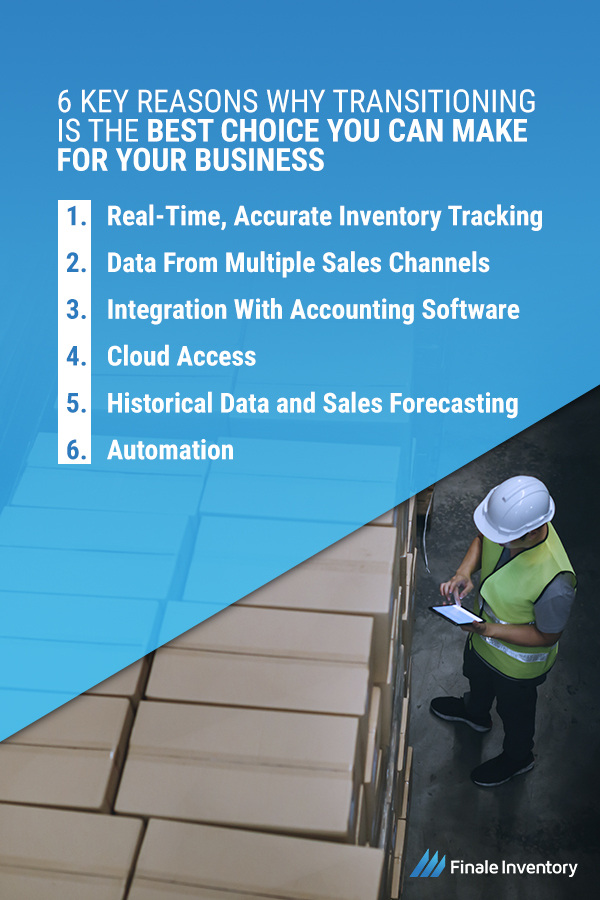
Warehouse or store inventory software offers many features you cannot get from Excel. The functionalities a spreadsheet offers often come at the cost of productivity and flexibility. How will upgrading help your business grow? Consider these six features a manual workbook cannot compete with.
1. Real-Time, Accurate Inventory Tracking
Is real-time tracking necessary for your growing business? The answer is yes. Consider how being even one day behind can affect your business. Say stock takes happen on Tuesdays and reordering on Wednesdays. On Tuesday, the person in charge of counting inventory using pen and paper forgets to update Excel for one product category. On Wednesday, when someone else handles reordering, the product category may seem well-stocked since the numbers weren’t updated.
Even when the stock takes are accurate, they lose accuracy quickly. For example, imagine the stock take happens at 4 p.m., and a customer places an unusually large order at 7 p.m. If the person reordering stock isn’t aware of the sale, the product inventory won’t be replenished when reorders are placed on Wednesday.
When you try to control inventory in Excel, scenarios like these can lead to backorders. Further, your business might sell unavailable products. Inadvertently selling out-of-stock merchandise is a significant concern for many companies. For a thriving small business, especially when sales can happen day or night, your inventory tracker becomes outdated the moment you hit save. As soon as someone makes a purchase, your inventory availability changes.
Inventory management software eliminates these manual errors by updating stock levels automatically. When you send a purchase order, receive a shipment, make a sale or ship a product, the available inventory will adjust. You can also track transferred stock, meaning you can track where it is in your warehouse or how it moves between warehouses.
If you’re looking for Excel inventory management with barcodes, you might be better off with a real-time inventory tracking system with barcode integration. Barcode scanning is quite helpful for tracking new arrivals, warehouse locations and outgoing sales. Still, it will fall short of monitoring offered by adding pending reorders and subtracting sales as they close.
2. Data From Multiple Sales Channels
If you’re like most small-to-midsized businesses, you probably have several sources of sales. You might sell online through marketplaces or have a point of sale (POS) system at several retail locations or some combination. When you have so many sales avenues, gathering data into your inventory spreadsheet becomes more complicated.
Pulling data from each system and adding them together to track inventory in Excel can cause errors. With each new data source, the chances to make a mistake increase. It also becomes more imperative to have real-time tracking from each channel. With sales coming in from several websites at once and others coming in from a physical location, you need to know how much of your stock is unavailable, even before it leaves the warehouse. You also need each marketplace to update, to avoid selling unavailable merchandise.
An inventory management software like Finale Inventory can provide a considerable advantage over a master spreadsheet. Our software offers integrations with several POS systems and a variety of e-commerce marketplaces. Finale Inventory can automatically update stock levels at online stores, so customers know what is in stock. And, while many marketplaces might force you to use unique SKUs, Finale Inventory can map them all back to a single product ID. No more matching — or mismatching — SKUs in your Excel spreadsheet.
3. Integration With Accounting Software
If you’re a logistics, merchandising or inventory manager, you may not always have accounting at the forefront of your mind. For accounting purposes, your inventory levels are considered assets. As an e-commerce business or retailer, you have a great deal of value tied up in those assets, and you lose value on it the longer it sits in your warehouse. Accountants use many different calculations to determine the amount of unsold inventory, factoring in shrinkage and depreciation, at year’s end.
Your company’s accountants cannot complete taxes without an accurate inventory count. If your inventory spreadsheets have mistakes, you’ll pay for it when tax season rolls around. The more records you can provide for those accounting purposes, the better.
Detailed records, which can be achieved with inventory management software, will save you and your accountants time. It can also help the company save on tax returns. Integration with accounting software provides the functionality accountants need to track inventory for tax purposes. Further, order management software like Finale Inventory can produce and store financial documentation, including purchase orders and invoices. With accounting software integration, all these records provide critical financial data that updates automatically.
The best part? There is no need to work off the same spreadsheet in multiple departments or manually file financial records for the finance team. Your documents stay updated and organized in a central platform, and you can export anything the finance department needs.
4. Cloud Access
One of the major pitfalls of Excel is its limitations on editing access. The latest version of Excel does offer co-authorship capabilities. You need a subscription to access this feature, which your company may not support. It’s not possible to track changes and, if several people edit the same cell at once, only one input will record. So, there’s plenty of room for error.
If you don’t have this collaboration feature, you might end up with two versions of the document. Unless you use careful sharing and detailed communication, you may end up with two different “up-to-date” spreadsheets, both missing information.
The only time it truly makes sense to manage inventory in Excel on a local hard drive is when only one person touches and tracks inventory. Otherwise — and even then — you risk errors. So, keeping inventory information off the cloud impacts your ability to grow. On a cloud-based inventory tracking platform, anywhere from two to 300 users can update at once. Everyone, from operations to procurement, will have access to that information right away. You can see who makes each change and when, so you can discuss discrepancies with the right party and see if numbers are up-to-date.
5. Historical Data and Sales Forecasting
Between evergreen products, annual sales, seasonal needs and economic conditions, a lot affects your sales from month to month and even week to week. Predicting sales based on trends will ensure you don’t run out of stock when demand is high or overstock when demand is low. When you keep track of inventory in Excel, you sacrifice the speed and accuracy of your sales forecasting.
First, Excel doesn’t offer an intuitive way to track inventory over time. Changing numbers from day to day on a single master spreadsheet is like throwing data away. You have to create a separate document to track historical trends. Once you have the raw data, you’re on your own for analysis. You must generate your own graphs and calculations, which can be incorrect at worst and time-consuming at best.
Finale Inventory tracks and visualizes your sales velocity automatically and allows you to generate custom reports for any data you need.
6. Automation
Typos, counting errors, messy handwriting, unsaved changes, formatting issues and a lack of technical skills can create inaccuracies. Even if an inventory report is 100% flawless, the time it takes to create it and double-check everything may be more than you can afford. Manual records lead to a balancing act of speed versus accuracy. Automation will outpace a human in both categories every time.
Working with large amounts of inventory can increase the possibility of error. For example, counting roughly 500 units by hand has more chances for inaccuracies than totaling 50 units. Meanwhile, more massive amounts of inventory increase the ramifications of errors. Consider how a small typo can affect your understanding of your current stock. Changing a 101 to a 110 isn’t as bad as going from 1,010 to 1,100. As your business and inventory grow, an automated tracking system becomes more critical.
Besides accurate, real-time tracking, everything from creating invoices to cost analysis is faster with automated inventory management software. Information about sellers, vendors and customers can populate into your account. Invoices and purchase orders automatically sync with your current stock levels, and all the data lives in a simple, straightforward platform. Pulling reports is a matter of clicking the right buttons, not manipulating cells and mastering formulas.

Upgrade From Excel With Finale Inventory
The best way to take advantage of all the features you’ve been missing with Excel is to work with Finale Inventory. At Finale Inventory, we understand the needs of business owners, logistics directors and inventory managers. We built our inventory management platform to allow businesses to migrate from Excel as quickly and painlessly as possible. Most companies can migrate from Excel and use Finale Inventory to manage their inventory in a little as a few days. Some of the benefits of upgrading your Excel inventory management system to Finale Inventory include:
- There is no software to install — or expensive consultant to help you migrate. Finale Inventory is a fully web-based solution hosted in the cloud. As a result, you never have to worry about installing and updating software or archiving your data.
- Migrating your data into Finale Inventory is drop-dead simple. Finale Inventory can read your current Excel files and import your existing customers, vendors and product files. See our video tutorial to learn how to import data from Excel.
- Our service is month-to-month, and you are not locked into long service contracts. With our low-cost service plans, we believe companies will receive tremendous value and will achieve a positive ROI in a short period.
- Unlike a cable television contract, you have the option to cancel anytime. Your data is always available, and you can easily export your data back into Excel or another inventory management system.
- Many small and medium businesses use QuickBooks for their accounting needs. Finale integrates seamlessly with QuickBooks, adding the functionality QuickBooks lacks so you can effectively manage your inventory.

Contact Us for a Free Trial or Real-Time Demo
When you’re wondering how to maintain store or warehouse inventory, you won’t find an adequate solution in Excel. If you are feeling the adverse effects of using Excel for inventory management, contact us for a free trial. Or, schedule a live demo so you can see Finale Inventory in action, with a demonstration tailored to your business needs. We’re confident our services will beat your spreadsheet system, help you increase efficiency and grow your business.
