


Shipping labels might seem simple, but they have an integral role to play in warehouse shipping processes. Inventory management and shipping labels go hand in hand, with these labels providing valuable information about the package’s origin, destination, handling requirements and much more. They can direct the package through its journey, allowing employees to work more productively and save the company money — all thanks to the humble shipping label.
While shipping labels often contain a wealth of information, they also have scannable barcodes and tracking data that allow warehouses to quickly track, navigate and manage their inventories. They enable a range of cost-effective processes that also speed up delivery, improve the customer experience and boost accuracy.
What Are Shipping Labels?
A shipping label is designed to get a parcel from point A to point B quickly and efficiently. Every major carrier has its own style of shipping label, but they include similar types of information and generally try to fit as much information as possible into a small space. The ideal shipping label is durable and makes logistics simple with clear, easy-to-scan data.
You’ll typically find the following pieces of data on any shipping label from a major carrier:
- Destination address
- Origin/return address
- Package weight
- Customer’s contact details
- Handling instructions
- Type of shipping service
- Tracking identifier and barcode
Each of these elements contributes to the speed and quality of the entire handling process, especially if you have multiple shipping options or fragile items. Including these fields on a shipping label allows workers to quickly gather the right information, like whether the postage has been paid or it needs to be sent out ASAP under an expedited service.
When combined with electronic inventory management, a shipping label also plays a key role in linking up a physical product with all of the electronic information that goes with it, like the order number, which product is in the box and other important details.
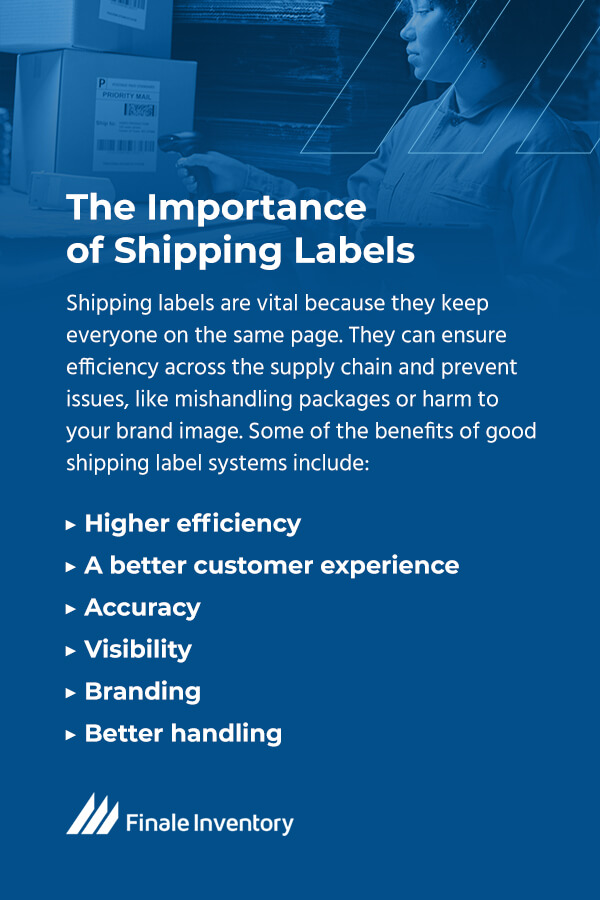
The Importance of Shipping Labels
Shipping labels are vital because they keep everyone on the same page. They can ensure efficiency across the supply chain and prevent issues, like mishandling packages or harm to your brand image. They’re used in inbound and outbound logistics and can link up with inventory management systems for added value, including increased accuracy and efficiency. Both computers and humans alike can use shipping labels to get packages to their destinations quickly and safely.
Some of the benefits of good shipping label systems include:
- Higher efficiency: With scannable barcodes and at-a-glance data, employees can more quickly move packages to the next step, helping them reach the customer sooner and limit the amount of time the packages are in your care. Labels create less work for the carrier and provide less room for error, especially when used alongside automated systems.
- A better customer experience: When customers get their product quickly and in one piece, they’re more likely to have a positive experience with their purchase. Fast, well-handled shipping can be improved with the right labels. Good customer experience can turn into good reviews, stronger customer loyalty and other positive associations with your brand.
- Accuracy: Barcodes and tracking numbers offer scannability and exceptional visibility. Workers can scan a shipping label and find out exactly where it goes and how to handle it. Shipping labels also ensure that package information is clearly affixed to the package itself, so items don’t get lost or detached from related information. Although you can handwrite shipping labels, they’re less accurate and harder to read.
- Visibility: Customers can track their packages and companies can combine labels with inventory management systems to monitor locations and movements across a facility. Simply put, shipping labels can provide exceptional visibility for packages. While smaller businesses might be able to get by without them, high-volume operations rely on strong labeling to get things done.
- Branding: If you’re trying to make your brand image stand out, custom shipping labels can help. They allow you to put your own spin on the labels with special fonts, logos and designs to make brands look more professional and memorable.
- Better handling: Shipping labels include special information about handling and can prevent damage to fragile items. For example, you might see fragile labels, arrows or “dangerous goods” data on a shipping label. These notifications can help ensure the package reaches its destination intact.
In short, shipping labels have a wide-reaching effect on many different parts of inventory management. They’re a powerful tool to have in your arsenal, especially if you use them to their fullest potential.
Shipping Labels in Inventory Management
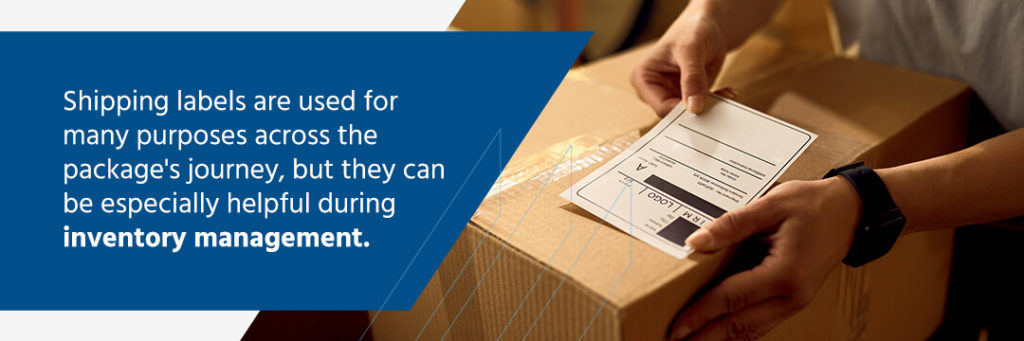
Shipping labels are used for many purposes across the package’s journey, but they can be especially helpful during inventory management. As packages move through a facility, warehouse shipping labels can help you retain visibility, use productivity-boosting technology and handle items with more accuracy. Let’s take a look at the role of shipping labels in warehouses.
Generating and Printing
Your two main options for creating shipping labels is generating them through the carrier website or a platform that connects with all major carriers. If you work with a third-party logistics (3PL) provider, they might take care of this step. Creating the labels through the shipping provider might work for very small operations, but it calls for more time-consuming manual processes. The most efficient option is to use a program that allows you to compare prices across shipping providers, buy postage and generate your label from one place.
Remember, generating a label isn’t the same as paying for it. A label is free — you can even handwrite them — but postage is not, and it’s usually cheaper to buy labels in bulk. You’ll need to complete both steps before trying to send off a package.
Shipping labels can vary widely in their appearance and durability. Some factors to consider include:
- Materials: A label might be paper-based or film-based. Although paper-based labels come in various styles and attractive appearances, they aren’t as durable or water-resistant as film-based labels. These labels use plastic materials and can resist moisture, high temperatures, ultraviolet light, friction and even some chemicals. Film-based labels are more expensive and provide less branding opportunity, but they’re the most rugged.
- Label sizes: Labels are printed on sheets that come in a range of sizes, including letter, legal, tabloid, A4 and A3. Some require special printers, so you’ll need to make sure you have the right printer for your desired label size.
- Printers: Inkjet printers are the most basic option, with lower quality that isn’t suitable for smaller QR codes or barcodes. It’s also the slowest and cheapest option. A laser printer moves a step up and can offer faster performance, but it may be more limited in the type of labels it works with, like peel-and-stick. Thermal printing is the best option for high-volume, high-accuracy printing. These printers are fast and great for bulk printing. They’re usually built for specific label sizes and can accommodate peel-and-stick labels.
Placement
Placing your inventory management shipping labels on the packaging can be easier said than done. If they aren’t well-placed, the items could get lost in shipping, leading to revenue loss and customer disappointment. To avoid placement issues, your label should:
- Lay flat on one side of the packaging: Don’t let it wrap around the edges. Barcode scanners and people can more easily read a label that lies flat against the packaging.
- Be secured: If needed, use clear tape designed for packaging over top of your label. Tape can keep your label nice and secure, but it can also wrinkle and create reflections and glares. A better option is to use self-adhesive labels. They’re easier and faster to apply and generally don’t require any tape. The label’s barcode can sit front and center for easy scanning.
- Stay intact: You don’t need the highest-quality labels out there, but you do need to make sure they’ll stay intact throughout transit and after the customer receives the item. For example, you won’t want to place the label on the seam of the box. If it breaks during opening, the customer might not be able to retrieve information needed for returns, such as their order number. If the label is destroyed during shipping, the entire package could get lost and you’ll be paying for the replacement.
- Be in a good spot: If your box has a designated space for a label, that’s usually your best bet. In general, you can place a label anywhere, as long as it is not obstructed. If you’ll be using your shipping label alongside other scannable labels, like product barcodes or placement identifiers, you may want to provide some distance so they don’t interfere with each others’ scanning. A worker trying to scan a shipping label, for example, might end up scanning a product barcode if they’re too close together.
- Face the right direction: Do you store your packages a certain way? Consider placing your shipping labels in a spot where they’ll be readable without needing to move the box so you can speed up the scanning process. For example, if you have stacks of boxes with the ends facing into your warehouse aisles, placing shipping labels there can help workers access them without needing to climb up, shift and turn the boxes.
- List any special concerns: If your items require special handling, you might want to place some additional labels on the packaging, like a “fragile” or “perishable” sticker.
Navigation and Inventory Tracking

Shipping labels in inventory management can be a key part of locating products and maintaining high visibility. You can link shipping labels to your inventory management system and gain precise insights into where items are. This makes it easy to oversee product movements and helps workers know exactly where they’re going. Warehouses can be vast, so navigation is key to helping employees locate items quickly and easily. They shouldn’t need to roam the aisles or get lost looking for a package.
For example, QR codes and shipping labels make excellent partners. You can use QR codes as warehouse labels, placing them on your shelves, floors or walls — anywhere you desire. Plus, they work with scanners and smartphones alike. Workers might scan a QR code to assign a package to a specific shelf or view what packages are currently held there. After all, they can’t see through boxes, so warehouse labeling is a way to link up a physical location with the data in your inventory management system.
QR codes and barcodes are easy to generate and print through Finale Inventory, allowing you to easily track items throughout the facility and pair them with shipping labels.
However you choose to locate packages, shipping labels can be a particularly useful tool for reducing errors and auditing. Every time a package moves, it can be scanned. If a package moves from Bay 1 to Bay 14, you have a clear and easy-to-follow record of that movement and real-time visibility into its location. This level of visibility can also help with auditing, allowing you to more accurately understand what you have and where. It even allows customers to see where their items are and can improve their experience.
Handling
You might have a range of information associated with your items, like special handling requirements or labels for international shipping demands. Shipping labels can contain this data and make workers more likely to treat the items correctly and move them through the process efficiently. These minor details can add value, helping customers receive intact, well-presented items and creating less work for shipping carriers.
Choosing Finale Inventory
Finale Inventory is a comprehensive, cloud-based inventory management solution that works right alongside your shipping labels. Robust barcode scanning solutions make it easy and quick to receive shipments, track items and record movement. With QR codes and barcode label printing, you can generate labels for easy tracking throughout your facility. Add them to packages to include more information or use rack labels for shelving and locating specific products.
Finale Inventory simplifies the entire process and allows you to work with shipping labels of all styles, with superior real-time visibility wherever your packages go. Work more productively, save on costs, eliminate paperwork and speed up training with the help of our easy-to-use interface and powerful features.
Alongside scanning and label generation, Finale Inventory can help with a variety of other inventory management tasks, like stock audits, purchasing and replenishing, order picking, returns management and even accounting. The platform integrates with many popular programs you might already use, like shipping programs, marketplaces, point-of-sale systems and accounting software.
With the help of the cloud, Finale Inventory is accessible from anywhere you have an internet connection, offering flexibility and security. You can use a web browser or our intuitive app to get to your data and rest easy knowing that your records are kept safe.
Contact Us Today
Our goal at Finale Inventory is to ensure smooth operations for our clients and partners. We aim to help you move your business forward and boost your customers’ experiences through reliable inventory management and the technology you need to expand your capabilities. We work with businesses of all sizes, from small businesses to Fortune 500 companies. Whether your focus is e-commerce or you partner with hundreds of brick-and-mortar locations, our highly customizable inventory management system can help you further your work.
Our services include free onboarding, training and support, so you can confidently use Finale Inventory to its fullest extent. To learn more about Finale, please reach out to an expert today!
