


Once your business grows, makes more sales and deals with more inventory, you realize it’s time to upgrade from manual to software-based inventory management. Then, once it grows a little more, you may even outgrow the current inventory management tool and decide it’s time for a more sophisticated, feature-rich solution.
The good news is that the right software can accelerate your business’ growth. Among small businesses that use business software, 73% report annual revenue over $100,000, compared to just 60% of companies that don’t use the software. In the case of inventory management software, we’ve seen many of our customers scale their business multiple times since implementing Finale Inventory.
Choosing an Inventory Management System
Choosing a sound inventory management system takes lots of consideration to ensure the software has the functionality you need. What are the inventory management systems you should be looking at? While there are many software solutions, you want to consider each option against several criteria. These include:
1. Cost and Budget
Inventory management systems come in a wide price range, with higher costs associated with more advanced solutions. It can be challenging to work with software vendors when pricing is obscure. To clarify the valuation, consider vendors that list their pricing online. This transparency helps you stick to your budget.
Besides the direct cost, consider whether the vendor locks you into a contract or lets you pay monthly. A long-term commitment with a suitable vendor can reduce your expenses and increase your return on investment. It would help if you also had the option of switching to a plan which serves you better. To assist you in saving more, look for providers that offer discounts when you pay for the entire year. Add in onboarding, setup and training costs to get the complete picture.
After considering cost, it’s critical to view your budget and decide what you can afford to spend on software. Your stock control software should pay for it and well-designed software can improve your revenue significantly by saving time and improving inventory management practices. Ask the following questions to learn more about pricing:
- How many users can you add to the platform?
- Is there a limit to monthly orders?
- Does the cost include integration?
- How much will additional integration cost?
- Which support do you get with that price?
- Do you have to pay extra to access premium features?
2. Customizations
Good software has a flexible, open API that integrates seamlessly with your existing business tools. Inventory management software performs even better when paired with other devices that use inventory data. Accounting software, channel managers, shopping cart platforms, online marketplaces, point-of-sale systems and shipping management software are good integration candidates. While a great solution will provide popular software integrations out of the box, you should have the option to integrate with the specialized software stack that works best for your business.
During your software exploration process, ask about the customization options if you’re considering an integration not already listed on the vendor’s website. It could be helpful to have a developer in the room with you so you can understand the various technical requirements for each software’s API and architecture. Also, get a sense of how the customization process works and if you’ll have a dedicated account representative to guide you through a smooth implementation.
3. Your Business Size
Scalable inventory management grows with your business. You must measure your business size in a few different ways. While most software provides different pricing for different numbers of users up to the enterprise level, you also need to consider other indicators of business size in inventory management.
Your software provider and chosen plan must accommodate your monthly orders and the number of unique product stock-keeping units (SKUs) in your inventory. You might also consider the number of other business software tools you use and your inventory’s complexity. Once a business hits a specific size, for example, it’s best to pair the software with a barcode inventory solution to help your staff track inventory changes throughout the warehouse.
4. System Support
A sound inventory management system is only as good as your ability to use it, which often means the support is just as important as the system itself. While the right solution should be easy to use, it may take some training and support from a product expert to get the most out of your software. You want to get answers to your questions quickly and work with a provider who understands your business and how you want to use the software.
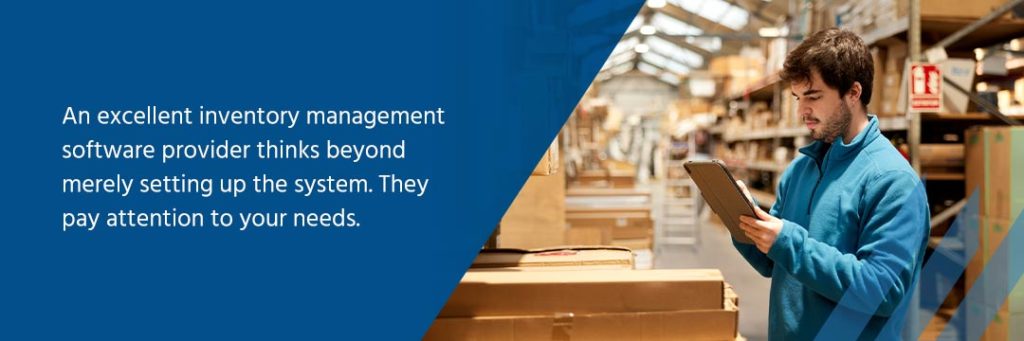
An excellent inventory management software provider thinks beyond merely setting up the system. They pay attention to your needs. They help you learn more about the industry and understand that applying a template approach is not always successful, so the plan must continuously evolve and be suited to your type of business. The training and consulting must take into account modern trends and developments.
At Finale Inventory, for example, all our customers work with a dedicated customer relationship manager to ensure a smooth transition. Your support specialist will answer your questions and act as an implementation consultant. They’ll get to know you and your business so they can recommend the best software configurations to make your team the most efficient.
Some other signs of an excellent support team include:
- Support and consulting included during the free trial period
- A robust support video library with training videos on many of the software’s features
- Fast replies to your questions with the ability to contact support over email, phone or online chat
5. Your Unique Needs
Inventory software can have a lot of unique features that make specific solutions better suited to certain businesses. Besides the essential ability to track inventory based on your sales and purchasing records, you may need some unique features, such as:
- Serial or lot number tracking: If your inventory includes products with expiration dates or items that use lot IDs or serial numbers, your inventory management system needs the flexibility to track items by serial number. It should also support any numbering system you choose.
- E-commerce solutions: E-commerce selling may involve listing live inventory counts on your online store and accepting sales from many marketplaces across the web. If you work in e-commerce, your inventory management system should have specific features to support online selling.
- Multilocation support: Businesses with multiple warehouses may need to track inventory levels across several locations and log stock changes, such as transfers between locations.
- Barcode solution: As your inventory gets more complex, with more individual products and unique SKUs, a barcode solution helps you track inventory as it moves throughout your warehouse, from receiving to storage to shipping.
- Light manufacturing: If your warehouse manages light assembly, you may need to manage inventory for raw materials and finished goods alike.
6. Integration Capabilities
Finding the perfect inventory management plan would be strenuous, if not impossible. In any case, the correct way to look at this is to consider which inventory management tool is best for your business goals — that’s what you need. The reason is simple — every business is unique. The plan must be tailored according to the specific demands of your business to yield the best result. Choose a flexible customization option, and look for a software provider that already integrates with some of your current software tools.
The essence is to have software that combines all vital aspects of your business. This is a sure way to save time, reduce errors, obtain accurate financial data and minimize order cancellation for out-of-stock products while increasing order fulfillment. The system must be designed to optimize your various tools to build a formidable brand. Businesses that manage inventory have several types of software solutions, such as:
- Accounting software
- Channel managers
- Online marketplaces
- Shopping cart platforms
- Shipping managers
- Point of sale systems
Finale Inventory integrates with nearly 50 solutions out of the box across each of these categories. All that’s needed for most is providing your login credentials.
7. Cloud-based
Choose an inventory management system that is cloud-based. Generally, they are a notch above the standard versions on the market. Cloud-based inventory management software uses a decentralized system that lets you and the team members you’ve granted access to manage inventory from any location without the need for an IT expert or extra cash investment.
Cloud-based models are more secure and reliable compared to traditional software. This fact is usually thrown around without much explanation — let’s fill that gap today. Cloud systems work through data centers which means instead of storing your data on the phone, tablet or computer, it is housed in virtual servers.
Your data is automatically backed-up to the data center, which means you can immediately retrieve the information if the system is compromised. The provider takes the load off your shoulders regarding the technical IT aspects of the software. All you need to do is sign up.
8. Positive Reviews
One great way to know if a product or service works is by checking the reviews. People outside the business share their candid experiences after using products or services. They tell you what they loved about the software and the challenges they faced while using it. They may even leave you with a rating and also tell you about how fantastic the customer service is.
A five-star rating is a good sign, but you should also check customer testimonials and search the internet for comments from the public. Again, consider how people describe customer service and try it out for yourself. Call the provider to make inquiries and assess how well and quickly they address your concerns. You could also read social media threads regarding the product and check if the company has received any awards or worked with other businesses in your industry.

Choose Finale Inventory for Your Inventory Management Needs
When choosing your inventory management software, consider all the essential factors, such as your budget, the capabilities you need and the support you’ll receive. Finale Inventory is a flexible, scalable inventory management software that grows with you, offering the advanced, sophisticated stock control capabilities you need to expand your business. We also provide personalized support to every customer and offer affordable plans for businesses of any size.
Register for your free trial today to learn more about Finale Inventory and schedule a product demo to see our unique capabilities in action.
Last Updated on November 15, 2022 at 2:30pm EST
