

As an e-commerce retailer, you must sell on various online marketplaces to meet your audience wherever they shop. With this in mind, eBay is an important sales channel for any business. With 185 million active buyers,eBay is the perfect place to find new customersand sell to return customers.
Of course, simply listing your products with this marketplace giant is not enough to get sales rolling in. You need a strong business strategy, focus and organized inventory management to make everything work smoothly. Fortunately, we can help you build proper inventory management practices with our top eBay warehouse management tips.
eBay Warehouse Management Tips for Online Retailers
When your inventory is not managed correctly, it can lead to tons of errors, no matter what e-commerce sales channel you use. This can cause your business to lose money, damage customer relationships or even shutter its doors. Luckily, you can avoid these problems and more by following our 13 easy tips. With our help, you can ensure that your product inventory on eBay will always be properly managed so your business is always booming.
1. Stay up to Date With eBay’s Seller Policies
Each online marketplace has its own policies for sellers that you must pay attention to.If you aren’t familiar with the guidelines, you may violate one without realizing it and lose your listings or face other consequences.
For example, eBay can revoke your “top seller” status if you oversell your products and receive many complaints.eBay takes negative reviews very seriously. If your listings are out of stock or if a customer receives the wrong product, eBay can either remove your listings or tie up your payments until you fix the issue. Familiarize yourself with eBay’s seller policies before conducting business so this won’t happen to you.
2. Stay on Top of the Changing Landscape
Since eBay sales run like an auction, prices can change quite a bit throughout the day. When selling prices are constantly changing, it can have a substantial effect on your inventory if you aren’t staying on top of things. For example, you may lose money when prices fall below your products’ worth. On the flip side, if you raise prices, you could see declining sales and get stuck with too much inventory. To ensure things are just right, keep an eye on prices and listings at all times.
3. Don’t Be Afraid to Change Things up on Your Own
When you first start keeping inventory — whether you’re selling on eBay or another platform — your organization system may be a little rudimentary at first. Many small business owners sell on eBay out of their own homes, which could mean you’re organizing stock from your basement, garage or shed.
Once you find a system that works for you, it can feel like a huge relief. However, as your sales and inventory grow, you might also outgrow your stock-keeping system. Don’t be afraid to change things up to suit your more extensive and complicated array of products.
4. Bundle Products
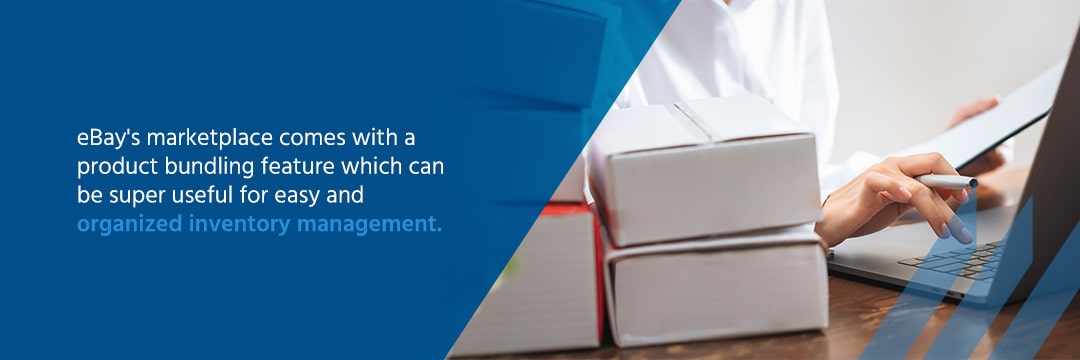
eBay’s marketplace comes with a product bundling feature which can be super useful for easy and organized inventory management. You can bundle items for sale with this feature, helping you move less popular products with your high-selling items. This is also useful if you have overstock items in your warehouse that you want to clear out to make room for new products.
Product kitting is a popular e-commerce inventory management technique that also offers additional benefits. Customers may buy more products through a kit if they feel like they’re getting a better deal. They also decrease your shipping costs since you can ship out multiple products as a single unit. All the while, you can clear out your inventory a little faster for the products that don’t sell as well individually.
When you bundle products, you can manage inventory levels with ease. However, it can also add complications to inventory management. When customers order a kit, it appears as a single sale, and you must decrement the appropriate amount of product from each item in the bundle. Inventory management software can map product kits back to each stock-keeping unit (SKU) so you can maintain correct inventory counts for all the individual items sold as sets.
5. Utilize Software Solutions
When it comes to online retail and inventory management, the right software solutions are a must. Your stock may seem easy to manage when you first start selling online. The more your business grows, the wiser it is to switch to software solutions for seamless inventory management.
Warehouse inventory management software solutions provide better organization and accuracy while improving your customer service. You can track everything from product numbers to restocking needs and sales with software solutions. Useful integration features will also sync your inventory data to be accessible across various devices and online marketplaces.
6. Utilize a Labeling System
As your inventory grows, you’ll keep your merchandise in bins or shelves, which will need labels. When an item sells, you need to find it quickly on your shelves. You also need to label your products to track them for inventory management.
Other marketplaces will assign product identifiers using a number called a Product ID or product SKU. eBay does not assign these numbers automatically and allows you to create your own using the ‘Custom Label’ field. You can use any numbering system you want to keep track of your products. If you sell on many marketplaces, you might want to reuse the same SKUs to simplify things. Stock control software can map multiple SKUs back to the same product, making your labeling system much easier to manage.
Find a labeling system that makes sense for your products and storage system and to you. Then, record the location of each product by its label. Inventory management software like Finale Inventory can track your sublocations and even let you transfer stock between sublocations.
7. Integrate With Suppliers
Besides making sure your software solution integrates with eBay and your other marketplace channels, you want to integrate with your suppliers and wholesale sources as well. When you integrate with your suppliers, you get ahead of impending inventory disasters such as backorders, discontinued products, overstocking and overselling. It allows you to see up-to-date supplier catalogs and product quantities. In short, when you share data with suppliers digitally, you’re much more prepared, and when you’re prepared, you can save your customers from negative experiences.
8. Never Overstock Products
Managing your inventory can become a little tricky when it comes to maintaining the right amount of products. If you have too little stock, you can disappoint customers and lose sales opportunities. However, if you have too much stock, you’re tying up money and resources that you could use elsewhere. For example, if you have too much inventory, you have to pay storage and overstock fees, costing you important revenue.
When you use inventory management software, you can prevent overstocks. Because the software monitors stock levels and your sales velocity, it can predict when you must reorder to replenish your inventory. With less guesswork involved in making restocking decisions, you can hold smaller quantities more confidently. You won’t have to order extra stock unnecessarily.

9. Consider Pre-Packing Items
A time-saving strategy for many eBay sellers is to package items as soon as you get them. After you take photos and measurements, you can immediately pack up the product with everything it needs to ship except the shipping label. That way, you can send it off as soon as it sells for faster shipping times. You can also ensure accurate shipping costs for every listing. It’s an excellent option for retailers selling individual, one-of-a-kind items. Make sure you have a detailed labeling system so you know what is inside each box.
The one downside to pre-packing is that it may not work as well with product kits. If customers can choose which items to place in their bundles, you may have to send individually packaged merchandise separately to the same address, raising shipping costs. Or, you may need to reopen and repackage the goods, wasting time. It’s essential to weigh your inventory management needs when deciding whether prepackaging makes sense for you.
10. Always Update Your Listings
An important part of warehouse management when you sell on an online marketplace is keeping your listings updated. You must stay on top of quantities so customers know what’s in stock and when to buy. If product listings are inaccurate, a customer could receive the wrong item or move to another shop to get their product, costing you a sale.
11. Look Into Multichannel Management Solutions
When you work with Finale Inventory, you get access to our state-of-the-art eBay inventory management software. This tool can manage your warehouse inventory from your eBay orders using simple configurations. One configuration opens a direct connection between your eBay store — or stores if you have more than one — and Finale Inventory. When these accounts sync up, your eBay orders automatically adjust depending on their needs.
When you sell products across many sales channels, your inventory must link up across all marketplaces. If someone purchases your last available unit of a particular product from Amazon, you need your eBay listing to update quickly to list the product as out-of-stock. Otherwise, another customer may buy something that is not available. With a multichannel inventory management solution, your stock levels can update across all sales channels every five minutes so all marketplaces display accurate stock quantities.
12. Follow up With Your Customers
Following up with your customers is a must for proper eBay inventory management. When you talk with your customers, you learn if they are satisfied, if they received their product and if it was what they were expecting. This information is valuable because it allows you to hone your fulfillment process so each transaction ends with a happy customer. What’s more, when customers are happy, news of your business spreads, which means more sales. Keep the cycle going strong by reaching out to your customers to make sure they’re satisfied with you.
13. Utilize Finale Inventory’s eBay Inventory Management Solution: DispatchTimeMax
Finale Inventory offers a useful warehouse management software solution that can update fulfillment latency, called DispatchTimeMax. This feature is especially useful for eBay marketplace listings for advanced eBay sellers. DispatchTimeMax refers to the maximum number of days in which a product will be dispatched and mailed to the customer. When you provide eBay with a maximum time to dispatch, the website can combine your lead times with estimated shipping times. As customers check out, they will see a date range for when to expect their orders.
DispatchTimeMax is helpful to experienced eBay sellers for many reasons. If you sell custom products on your eBay store, you may have different lead times for your many product offerings. A simple customization may be ready to ship in just a few days, while a larger product may require a week or two to create before you can send it. By customizing your DispatchTimeMax for each listing, your customers will know when to expect their custom product orders.
Another use case for the DispatchTimeMax feature is when selling products directly from suppliers. One way to avoid stock-outs and overselling is to reorder products from your supplier immediately when you cannot fulfill an eBay sale from your own warehouse. In Finale Inventory, you can set different lead times for products from your warehouse and your suppliers.
If you have items in your warehouse, eBay will give customers a fulfillment estimate based on your own warehouse lead times. If you’re out of stock, Finale Inventory will then prioritize your Supplier 1 lead times to fill in eBay’s fulfillment estimate. If Supplier 1 is also out of stock, Finale Inventory will move to Supplier 2’s lead times and so on. This technique is best for advanced eBay sellers and demonstrates another reason why it’s so helpful to integrate your inventory management with your suppliers.
The DispatchTimeMax setting is also helpful when you employ product kitting. When a customer orders a bundle, Finale Inventory will provide eBay with a dispatch time based on the product within the kit with the longest lead time. It will also display the available quantities based on the product with the lowest amount of available stock. This setting can also use supplier lead times to help you maximize sales opportunities even when your warehouse is out of stock.
By pushing accurate lead times to every eBay listing, customers can always see when they should expect their order. You’ll strengthen your customer relationships because you’ll be more likely to deliver their products by the date you promise them. By integrating supplier lead times, you can always display the shortest lead time based on your and your suppliers’ current availability. You’re less likely to miss out on a sale due to long lead times.
This setting allows you to give customers an accurate date for when their order will be shipped and delivered. With this helpful tool, you can build an online presence your customers can trust.
eBay Inventory With Finale Inventory
We hope these expert eBay inventory management tips will be useful for you and your business and that you’ll see success as time goes on. Our inventory management solution can help you grow your business by reducing storage costs and allowing you to maximize your sales opportunities. It’s an excellent tool to help you get started as an eBay seller or streamline your eBay inventory operations.
At Finale Inventory, we offer world-class customer service. We’ve worked with all types of businesses that use eBay and like to personalize our service to each company so they can get the most out of our software. When you work with us, you’ll receive a dedicated account specialist who will help you set up and learn how to use your account for your unique business needs.
Try out our eBay Inventory Management Solution: DispatchTimeMax by signing up for a free trial today!
