
Select Page
Home 5 Tips 5 How to Prevent Oversolds and Stockouts

Blog

Originally published on May 16, 2024 Last updated on March 6, 2026

How to Prevent Oversolds and Stockouts

Have you ever shopped online and clicked “Add To Cart” only to be met with a dreaded “out of stock”? While this is a frustrating experience for customers, the frustration is doubled for you, as the business owner. Every oversold or out-of-stock item leaves customers disappointed, increasing the chance of losing that sale (or customer) […]
oversolds and stockouts

Have you ever shopped online and clicked “Add To Cart” only to be met with a dreaded “out of stock”? While this is a frustrating experience for customers, the frustration is doubled for you, as the business owner. Every oversold or out-of-stock item leaves customers disappointed, increasing the chance of losing that sale (or customer) completely. Fortunately, we’ve got the secrets to preventing these issues from occurring. 

By mastering your stock levels, you’ll not only avoid disappointing customers but also boost your bottom line. 

Read more: How to Prevent Oversolds and Stockouts

Oversolds and Stockouts: What Are They?

While the two tend to go hand-in-hand, it’s important to understand the difference between oversolds and stock outs, as they represent the same issue from different perspectives: the customer’s and the business’.

From the Customer’s Perspective: Oversold

An example of an oversold item would be our previous example: ordering an item online only to later receive an email that it’s no longer available. Essentially, there are more orders placed for an item than there are units actually in stock. This leads to canceled orders, frustrated customers, and potential damage to your brand image and trust, as they will likely turn to your competitors.

From the Business’ Perspective: Stockout

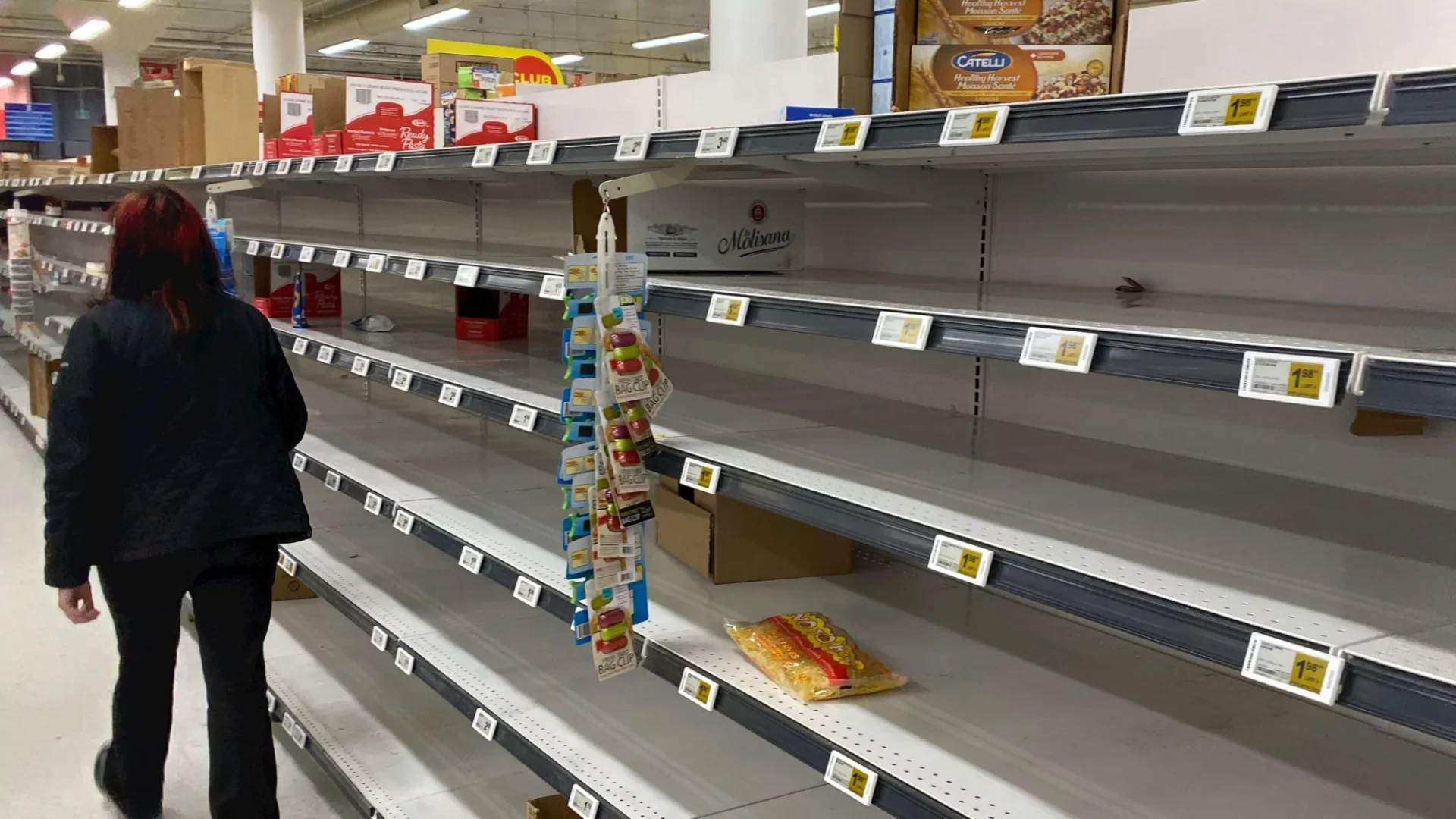
Now, let’s shift perspectives and imagine empty shelves in your warehouse. This scenario represents a stockout, meaning the product simply isn’t available on your warehouse shelves. Plainly speaking, it is not “in stock.” This occurs when demand outpaces your inventory, or when you’re not aware of the stock counts for your products, leaving you with missed sales opportunities and potentially frustrated employees scrambling to manage the customer’s replacement request and fulfill an alternate order. Similar to oversolds, stockouts can harm your brand perception and seller score, leading to lost revenue.

These issues are bad enough when it’s a stand-alone event, but that’s usually not the case. Oversold items often snowball into continuous stockouts if inventory isn’t accurately tracked. Inaccurate data fuels both issues, creating a vicious cycle of disappointment and lost profits.

7% to 25% of customers faced with a stockout will continue shopping, but wont buy a substitute for their desired item at the store.

21% to 43% will actually go to another store to buy the item.

That’s why preventing both is crucial. By keeping stock levels optimal, you avoid frustrated customers, lost sales, and the operational headache of managing these inventory mishaps.

Before we reveal how you can prevent these, let’s talk more about why they occur. 

What Causes Oversolds and Stockouts?

  1. Inaccurate inventory data. The foundation of good stock management is accurate data. Unfortunately, manual counting done intermittently is prone to errors, leading to phantom products and shortages. This discrepancy fuels both oversold frustration and stock-out disappointment.
  2. Incorrect reorder points. A reorder point is the level of inventory you choose to indicate when it’s time to order new stock. But, when your reorder point is inaccurate, it can cause you to run out of stock before anticipated. Fortunately, Finale offers a reorder point control system to help you schedule and automate reordering.  
  3. Lack of minimum and maximum inventory. Safety stock, or min/max inventory, acts as a buffer against unexpected demand surges or supplier delays. Without it, even minor hiccups can trigger stockouts, leaving you scrambling to fulfill orders. This is the simplest method of inventory control reordering and is easy to set up with Finale with two static inputs:
    1. The “Min” value represents a stock level that triggers a reorder
    2. The “Max” value represents a new targeted stock level following the reorder.
  4. Communication silos. Miscommunication between departments can be disastrous. Sales promising what inventory can’t deliver sets the stage for oversold situations, while purchasing not communicating delays can lead to stockouts. Transparent communication is key.

These problems often occur as a result of outdated inventory management. Relying on manual processes and spreadsheets makes it difficult to track inventory in real-time, while increasing the risk of oversolds and stockouts through human error. That’s where modern inventory management softwares streamline processes and provide real-time data that empower informed business decisions.

So, how can you prevent these errors and, consequently, prevent oversolds and stockouts?

Strategies for Oversold and Stockout Prevention

1. Demand Forecasting

Accurate demand forecasting, the art of predicting future sales based on historical sales trends, empowers you to stock the right items at the right time, eliminating both oversold woes and stockout frustration. 

  • Leverage sales velocity reporting: Leveraged against reordering technology, you can analyze past data to identify trends in purchasing, inventory, and reordering. This historical foundation provides a solid base for future predictions. Select different timeframes to see how the order rates change.
  • Multichannel updates: Stay updated on stocks across all sales channels. When looking at potential solutions, know that some systems update every 30 mins, hour or even every 24 hours. Instead, be on the lookout for systems that offer real-time syncs. These updates will reflect the most accurate, up-to-date inventory levels across all sales channels and within your warehouse(s) concurrently. 
  • Remember promotional planning: Upcoming sales and marketing campaigns can dramatically spike demand. Factor these events into your forecast to avoid being caught off guard. Finale helps you hold inventory aside to make sure you’re set for your upcoming event without impacting ongoing sales.
    • Picture this: you know that 100 units are available, and 40 units need to be held for a specific promotion. With Finale, your inventory will reflect 60 units available to the sales channel until you’re ready, making sure you have what you need – when you need it. 

Manual forecasting can be tedious and prone to human error. Finale Inventory’s demand forecasting technologies automate this process by leveraging historical sales velocity data and promotional plans to generate reliable forecasts. This allows you to focus on strategic decision-making while the software ensures your inventory aligns with predicted demand.

2. Structured Inventory Management and Barcoding

Inventory data is the lifeblood of accurate forecasting and optimal stock levels, but only if it’s accurate. Gaining that level of accuracy requires some discipline, as well as process, to make sure you’re getting it right.

  • Regular cycle counts and stock takes: While you shouldn’t rely solely on manual counts, it’s also not recommended to rely exclusively on software data. Conduct regular physical inventory counts (cycle counts) and complete full stock takes periodically for a more detailed QA/QC check. Doing so with a barcode scanner will cut the process down from days to hours.
  • Reorder points: Set reorder points within your inventory system. These predefined inventory levels will trigger notifications to reissue a purchase order, while some systems will automatically create purchase orders for you. Either way, reorder points acts as a buffer to ensure you restock before hitting zero and help prevent stockouts. For example, if your widget reorder point is 20 units, an order automatically triggers when inventory falls to that level.
  • Safety stock: Beyond reorder points, consider implementing safety stock, an additional buffer to handle unexpected demand surges or supplier delays. This extra cushion provides peace of mind and ensures you’re prepared for unforeseen circumstances. For example, you might maintain a safety stock of 5 additional widgets on top of your reorder point.

What’s important to note about the above is that merely having a system won’t improve your oversolds. Leveraging the right tool with the right feature set to protect your inventory is what’s key to a structured inventory management approach.

Why a tried and true inventory management system? Manual data entry is notorious for errors, leading to inaccurate inventory data and fueling both oversold and stock-out situations. This is where barcoding technology steps in as your champion of speed and accuracy, beyond the beneficial syncs of the IMS (inventory management system). By scanning barcodes instead of manually entering data, you ensure precision and gain valuable insights into stock levels, minimizing the risk of inventory mishaps.

Integrating your barcoding technology with your IMS takes this one step further. Finale offers integrated barcoding and IMS solutions, streamlining these processes. You can verify purchase orders upon receipt, automate cycle counts, track reorder points and safety stock, freeing up your time for strategic decisions while ensuring data accuracy and optimal stock levels.

3. Communication and Collaboration

Like the hallmark of any relationship and team, poor communication can be the kiss of death between your warehouse and sales teams. But, with a cohesive tech stack, you can get all departments on the same page. Picture this ideal scenario: sales promising realistic availability, purchasing anticipating demand changes, and the warehouse efficiently fulfilling orders. This collaboration fosters transparency and minimizes the risk of oversold or stockout situations.

  • Real-time inventory visibility: Finale offers an IMS that empowers all teams with real-time access to accurate inventory data. This shared visibility fosters understanding and facilitates informed decision-making across departments.
  • Shared platforms and dashboards: Utilize shared platforms and custom inventory reports that provide a consolidated view of stock levels, sales trends, and purchase orders. This transparency promotes collaboration and ensures everyone is on the same page.

By implementing these strategies across demand forecasting, inventory management, communication, and barcoding technology, you can transform your inventory into a well-oiled machine. Accurate data, reliable forecasting, open communication, and precise tracking are your keys to unlocking optimal stock levels and saying goodbye to oversells and stockouts forever.


Schedule a demo to learn more about inventory management!


Book a Demo

“The core of maturity, that I see, is starting with a unified view of inventory. I’ve got to be able to accurately represent what do I have, make sure that I know where it’s located so I can get it to my customers quickly.”

— Troy Graham, Descartes

What is the first thing I should fix if I want to scale operations?

Start with a unified view of inventory. The core of maturity starts with being able to accurately represent what you do have and make sure that you know where it’s located to get it to customers quickly. Without a unified view across your warehouses, 3PLs, and vendors, you cannot make the best decisions because you don’t have the best information at hand.

With Inventory Visibility, Businesses Can Make Smarter Allocation Decisions

Once inventory is centralized, businesses can move from reactive updates to intentional allocation. They can decide how much inventory to expose to each channel, when to use buffers, which marketplaces need extra protection, and how seasonality or campaign performance influence availability.

Once I know what inventory I have, how should I decide where to make it available?

Inventory allocation should reflect where orders are coming from, where marketing is working, and which channels carry the most risk. Once you know what you have and where it is located, you can think more strategically using centralized inventory to make prioritization happen automatically. One fertilizer company lost a little over 5,000 orders in one weekend because someone manually uploaded the wrong available inventory to Amazon.

Better Inventory Data Improves Planning, Purchasing, and Growth Bets

Better visibility turns inventory data into a planning tool. With insight into sales velocity, inventory levels, vendors, and channel performance, businesses can make more informed replenishment decisions, avoid overbuying, and test new product lines or vendor-supplied inventory without taking on unnecessary risk.

“You have to have unified inventory to know how to price your products just at that basic level. I can’t price my products if I don’t know the true cost to get it.”

— Mike Bernico, Flxpoint

How does better inventory data help me make smarter buying decisions?

It lets you measure whether your plan is working before you commit more capital. A key question becomes: “Did my plan work? Am I overleveraged in one place or another?” Centralized systems can also help businesses test new product lines or vendor relationships by looking at sales velocity by channel, allowing them to take risks in a calculated and measured way.

Intelligent Order Routing Turns Inventory Complexity Into Automation

Once inventory and supplier data are reliable, businesses can automate fulfillment decisions. Orders can be routed based on cost, speed, margin, location, warehouse priority, vendor fallback, split-shipment rules, or customer expectations. This helps hybrid fulfillment scale because every order does not need a manual review.

How do I decide the best way to fulfill each order?

There is no single answer, which is why order routing needs to account for the context of each order. Intelligent order routing is not just sending an order to someone who has stock; it is taking each and every order and treating it like its own unique use case. Depending on the order, the business may prioritize speed, margin, an internal warehouse, vendor fallback, or preventing split shipments.

Supplier Inventory Sync Extends Inventory Beyond the Four Walls

For hybrid fulfillment to work, supplier inventory needs to become part of the operating model. Supplier sync does not always require advanced technology; it can happen through automated files, FTP, email, APIs, EDI, or ecommerce storefront integrations. The key is replacing manual updates with automated, reliable supplier data.

Can supplier inventory really be treated like part of my own inventory?

Yes, but the goal is not necessarily to force every supplier into a complex integration. Real-time supplier sync can be defined as any way to get an automated update from a supplier, such as Google Sheets, email, FTP, API, EDI, or ecommerce storefront connections. The key is that accurate supplier stock is foundational. If you don’t have an accurate view of what is in stock with your suppliers, you cannot tell your sales channel accurately what’s available.

Exception-Based Workflows Keep Humans Focused Where They Matter

Automation does not remove people from the process. Mature operations let technology handle the routine majority while humans focus on exceptions, such as high-value orders, fraud risk, compliance requirements, restricted products, export rules, or unusual fulfillment scenarios.

If my business has special cases, can automation still work?

Yes. The point is not to automate every possible decision; it is to automate the routine work and surface the exceptions. Businesses should not have to look at every single order. Instead, technology can highlight high-value orders, risky locations, or compliance requirements. The goal is to take care of the 80% of workflows that are obvious while still allowing human review when specific exceptions arise.

The Right Inventory Technology Should Fit the Business, Not Overwhelm It

Software decisions should be based on business fit, not popularity, feature volume, or broad “all-in-one” promises. Growing ecommerce businesses should identify their highest-impact bottleneck, prioritize what matters now, and choose technology that is right-sized but flexible enough to support future phases of growth.

How should I choose software without overbuying or picking the wrong system?

Start with your priorities, not the biggest feature list. Avoid an all-in-one system that claims to “do everything under the sun” and look for a “best of breed approach” with systems that can scale as you add channels or vendors. The practical advice is to stack rank what matters now, make sure the system can support future phases, and choose technology that fits your business rather than overwhelming it.

How to Scale Ecommerce Operations Beyond Spreadsheets

For many growing ecommerce businesses, Finale and Flxpoint work together as a practical answer to these challenges. Finale helps centralize and manage internal inventory, purchasing, warehouse operations, and stock visibility, while Flxpoint helps connect vendor inventory, automate supplier sync, and route orders across hybrid fulfillment networks. Together, they give businesses a best-of-breed way to improve inventory accuracy, reduce spreadsheet work, and scale fulfillment without forcing every process into a one-size-fits-all system.

Ecommerce Fulfillment Operations FAQ

What Is Ecommerce Fulfillment Operations?

Ecommerce fulfillment operations are the processes that move an online order from purchase to delivery. This includes managing inventory, syncing product availability across channels, routing orders to the right warehouse, 3PL, supplier, or vendor, and making sure the customer receives the right product on time. As discussed in the webinar, fulfillment is no longer limited to “what’s in my warehouse these days”; growing businesses may rely on internal warehouses, 3PLs, marketplace fulfillment services, and supplier inventory at the same time.

What Are Ecommerce Fulfillment Operation Examples?

Examples of ecommerce fulfillment operations include updating inventory across Shopify, Amazon, Walmart, and other sales channels; allocating inventory to specific marketplaces; sending orders to an internal warehouse, 3PL, or vendor; syncing supplier inventory through files, APIs, EDI, email, or FTP; replenishing warehouse stock based on sales velocity; and flagging exceptions such as high-value orders, compliance requirements, or restricted products. In the webinar, the speakers also discussed hybrid fulfillment examples where a business may fulfill some products from its own warehouse and use vendors as a fallback or extension of available inventory.

How Can I Track My Inventory at an Ecommerce Fulfillment Center?

The best way to track inventory at an ecommerce fulfillment center is to create a unified inventory view that shows what is available, where it is located, and how that inventory connects to each sales channel. That means tracking inventory across internal warehouses, fulfillment centers, 3PLs, marketplace fulfillment programs, and supplier locations instead of relying on disconnected spreadsheets. The webinar emphasized that businesses need to “accurately represent” what they have and know where it is located so they can get products to customers quickly.

How Can I Connect My Inventory to My Supplier?

You can connect supplier inventory through several methods, depending on what the supplier supports. The webinar discussed low-tech and advanced options, including automated Excel or CSV files, Google Sheets, email updates, FTP servers, APIs, EDI, and direct connections to ecommerce storefronts such as Shopify, BigCommerce, or Magento. The key is to ask suppliers how they share inventory today, then use a system that can automate that data flow instead of manually copying supplier inventory into spreadsheets.

What Is Ecommerce Order Routing?

Ecommerce order routing is the process of deciding where an order is fulfilled from after a customer buys. In a simple operation, every order may go to one warehouse. In a more complex or hybrid fulfillment model, the best fulfillment source may depend on inventory availability, shipping speed, cost, margin, customer location, warehouse priority, vendor fallback rules, or whether the order should be split. The webinar described intelligent order routing as treating each order like its own use case, so businesses can automate the best fulfillment decision without manually reviewing every order.

Ready to Take Control of Your Inventory?

Improve inventory, warehouse, and ecommerce operations today.

Request a Demo

Keep Up With the Latest From Finale

All the inventory tips, trends, best practices, news, and insights you need, delivered straight to your inbox.

Subscribe to Our Newsletter